I used to work on three monitors and kept wondering how to hook up a fourth or a fifth. Today I work on just one monitor and I don’t want a single one more. Take a look at how I have macOS set up right now.
You’ll find thousands of discussions online about how a developer’s desk should be arranged. I’ve read hundreds of them myself. Most of them start with how to move from a single-screen setup to a multi-screen one. Questions that come up include, among others:
- a laptop plus monitors, or a desktop with multiple monitors,
- how many screens,
- how to arrange the screens, e.g. side by side or one above the other,
- whether to rotate some screens so they’re vertical (pivot),
- what screen resolution: Full HD, 4K, 5K, 6K, ultrawide, etc.
There are, of course, many more questions. A seemingly simple problem turns complicated. Especially since you usually set this up only once every few years.
For a long time I worked in a setup with a laptop and two monitors placed side by side horizontally. One of the screens was usually used for a messenger (Slack) and an email client. The other two monitors were most often the browser and a code editor / IDE.
I started noticing a few problems with this setup, though:
- Slack and email often pull me away from the task at hand, and it’s hard to focus,
- moving my eyes from the first screen to the third always costs a bit of time,
- when switching to working on the laptop only, i.e. reducing the number of screens from 3 to 1, I had to rearrange the windows from scratch (e.g. working in a conference room, on a train, etc.).
I use macOS for work, but I sometimes test various Linux distributions too. In 2025 I spent some time testing Hyprland as part of the Omarchy distribution. I really liked that tiling manager, although I also noticed its downsides.
On macOS I also tested plenty of tools like Rectangle, Moom, etc.
In the end, after all these tests, I arrived at a configuration that I’ve been using for many months now and will probably stick with for the long run. A configuration that solves several of my problems, including the biggest ones described above:
- I use AeroSpace to manage windows on macOS,
- I use only one monitor. When I’m sitting at my desk, I have a 27-inch monitor connected to the laptop, but the laptop lid is closed,
- I use SketchyBar to visualize the list of virtual desktops from AeroSpace, along with icons showing what’s on a given workspace.
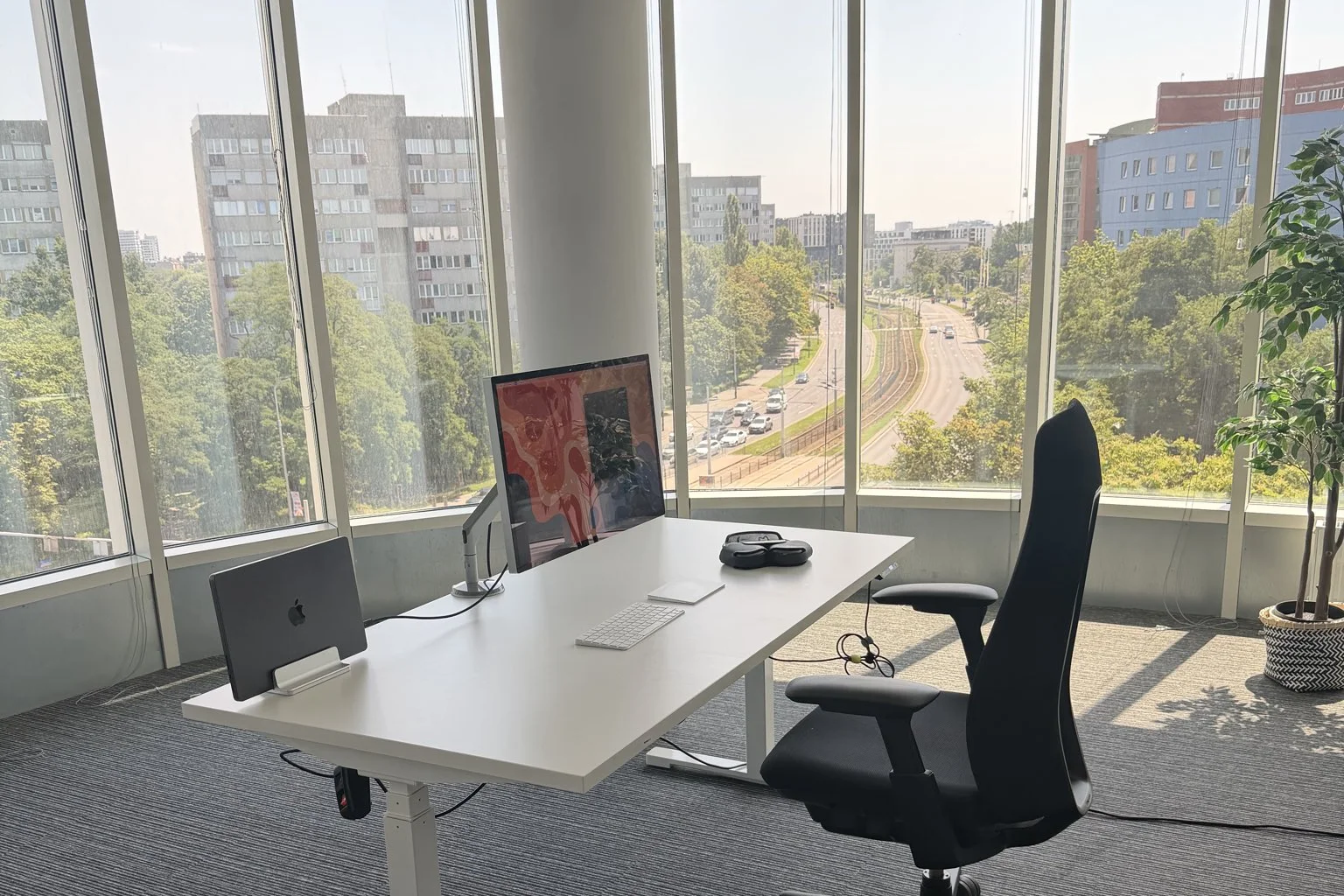
My current desk — one monitor, a MacBook in a vertical stand (lid closed), and a city view.
You’ll find the full config on GitHub in the makaron project.
Since switching to this setup, I think the built-in workspaces in macOS are painfully slow. And whenever I do connect a second monitor, I quickly go back to just one. Using the keyboard to switch workspaces is faster than turning my head to see what’s on the second monitor.
In my AeroSpace config I eliminated a few problems that exist in the default config, e.g. the collision of keyboard shortcuts with Polish characters like ą, ę.
I also added automatic launching of selected types of applications on set desktops, so I don’t waste time arranging windows by hand.
A few applications are excluded from tiling mode — once launched they open as floating, e.g. the file browser or a PDF preview.
I recommend everyone try AeroSpace at least for a moment. SketchyBar isn’t necessary, but in my opinion it’s a nice addition.
It’s best to test this over 3-4 iterations. On the first attempt it can be hard to switch to a different way of thinking about window management. After a few tries you can get used to it and see the huge benefits of using this kind of solution.
Project pages:
My config: github.com/grzegorzbartman/makaron